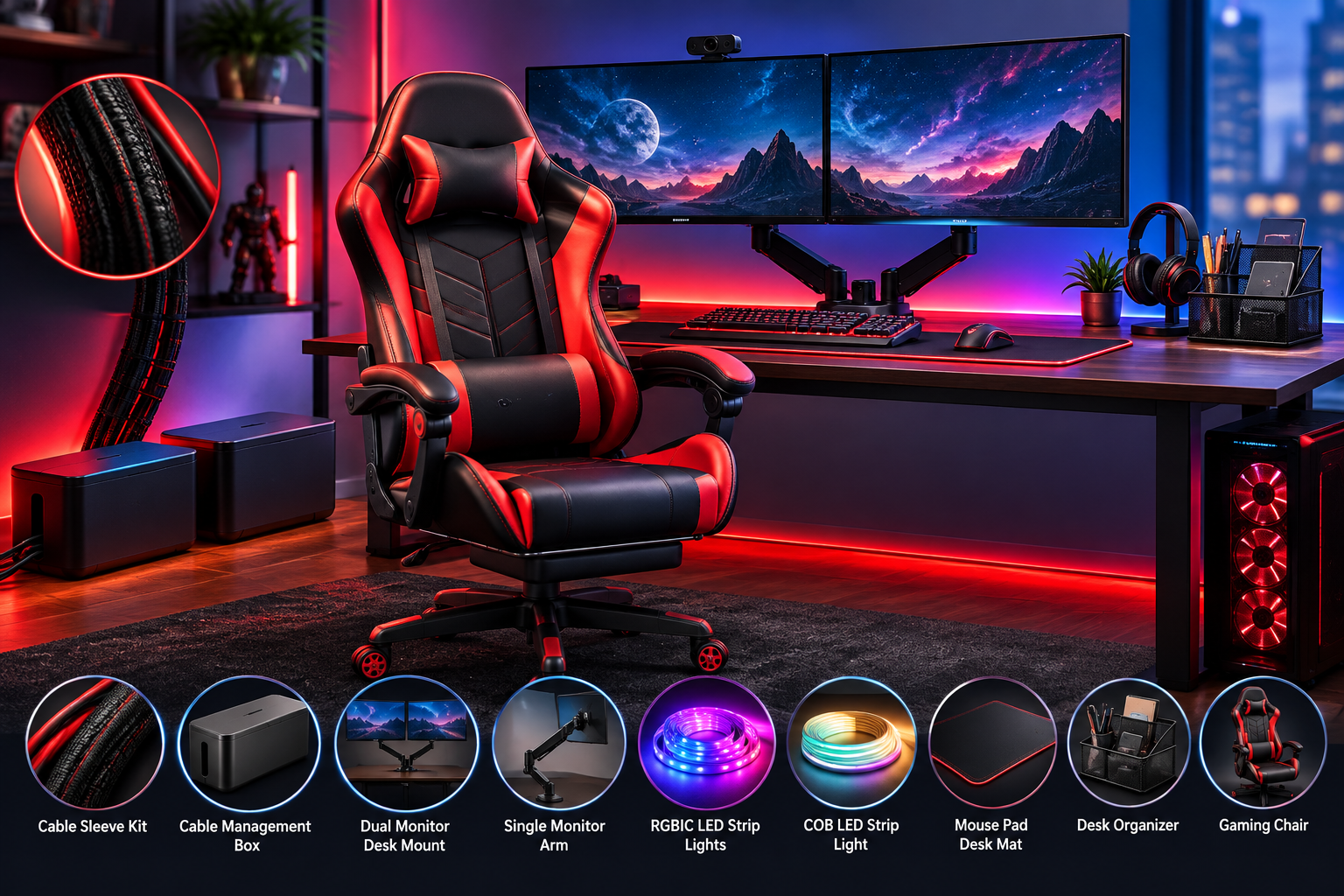
How to Organize a Gaming Setup:
10 Amazon Products for Cables, Comfort & Desk Space
September 18, 2026
by Just Tech Me At
Follow us on social media forfreebies and new article releases.
Table of Contents
*As an Amazon Associate, I earn from qualifying purchases.
Introduction
A great gaming setup should feel focused, comfortable, and easy to use-not like a tangle of power cords, controller cables, loose accessories, and monitor stands competing for every inch of desk space. Whether you play on a gaming PC, Xbox, PlayStation, or a mixed desk-and-console setup, better organization can make your space look cleaner while making everyday gaming more comfortable.
The best upgrades do more than add style. Cable sleeves and cable-management kits hide distracting wires, monitor arms free valuable desktop space and help position screens more comfortably, while desk mats and organizers give keyboards, mice, controllers, adapters, and small accessories a designated place. RGB lighting can also create a more cohesive gaming-room backdrop, especially when it is installed neatly behind a monitor, desk, shelf, or TV.
Comfort matters just as much as appearance. If you spend long hours gaming, streaming, editing, or working at the same desk, an ergonomic chair and properly positioned monitor can help you build a setup that is easier to use day after day. Amazon offers a wide range of gaming desk accessories-from affordable cable sleeves and RGB strips to premium monitor lighting and adjustable chairs-so you can improve your space one upgrade at a time.
Below are the best gaming setup organization products for reducing cable clutter, reclaiming desk space, improving monitor placement, organizing small accessories, and creating a more comfortable gaming environment.
#1
Best Cable Sleeve for Existing Cables
Alex Tech Cable Sleeve Kit
For gamers who want to hide and protect a messy bundle of existing desk, monitor, PC, console, and power cables without unplugging every connection.
View on Amazon
Overview
A split, self-closing cable sleeve that wraps around several cords to create a cleaner-looking cable run behind or beneath a gaming desk. Its flexible split design makes it especially practical for retrofitting an already-built setup.
Key Features
- ⬦ Split, self-closing sleeve design
- ⬦ Bundles multiple cables into one neater run
- ⬦ Flexible routing around desk legs and equipment
- ⬦ Helps protect cables from abrasion and pets
Pros & Cons
✅Easy to install around existing cables
✅Improves the appearance of long visible cable runs
✅Useful for mixed power and signal cables
✅More reusable than disposable zip ties
❌Does not mount cables to the desk by itself
❌Can look bulky with many thick power cords
❌Makes individual cable swaps slower
❌Exact diameter and length must match the cable bundle
Check Price on Amazon
#2
Best Power Strip Hiding
Marsui 2 Pcs Cable Management Box
A dual‑box cable‑management solution designed to hide power strips, adapters, and bulky plugs while keeping your gaming desk or floor area clean and hazard‑free. Ideal for setups with multiple surge protectors or visible cable clusters.
Find on Amazon
Overview
This two‑piece cable‑management box set conceals power strips, adapters, and cable clutter to create a cleaner, safer gaming environment. Each box fits most standard surge protectors and keeps cables protected from dust, pets, and accidental unplugging.
Key Features
- ⬦ Two cable‑management boxes for desk or floor use
- ⬦ Fits most standard power strips and adapters
- ⬦ Ventilated design to help reduce heat buildup
- ⬦ Keeps cables protected from dust and pets
Pros & Cons
✅Great for hiding bulky surge protectors
✅Improves desk and floor aesthetics instantly
✅Protects cables from pets and accidental unplugging
✅Two‑box set offers flexible placement options
❌Not suitable for oversized UPS or large power units
❌Requires measuring your power strip for proper fit
❌Vent slots may expose small portions of cables
❌Lid can feel tight with thick or angled adapters
View Current Amazon Listings
Monitor Mounts and Desk Space
#3
Best Budget Dual-Monitor Mount
VIVO Dual Monitor Desk Mount STAND-V002
For gamers, streamers, and multitaskers with two VESA-compatible displays who want to reclaim desk space and improve screen positioning.
Find on Amazon
Overview
A steel dual-monitor desk mount that elevates two VESA-compatible screens off their factory stands. It provides adjustment for monitor height, tilt, swivel, rotation, and position while helping route display cables more neatly.
Key Features
- ⬦ Holds two VESA-compatible monitors
- ⬦ Desk-clamp or grommet mounting options
- ⬦ Height, tilt, swivel, and rotation adjustment
- ⬦ Integrated cable-routing paths
- ⬦ Steel construction for desktop stability
Pros & Cons
✅Frees significant desktop space
✅Supports portrait orientation for chat or streaming tools
✅Helps align displays at a more comfortable height
✅Usually costs less than dual gas-spring arms
❌Requires VESA mounting holes or adapters
❌Desk thickness and clamp clearance must be checked
❌Not ideal for every heavy ultrawide monitor
❌Less convenient for frequent repositioning than gas-spring arms
View Current Amazon Listings
#4
Best Single Monitor Arm for Small Desks
ErGear Single Monitor Arm
For single-monitor gaming setups and compact desks where the player needs flexible screen positioning and more room for accessories.
Find on Amazon
Overview
A gas-spring monitor arm that mounts by desk clamp or grommet and lets the user raise, lower, extend, tilt, swivel, and rotate a compatible monitor. It turns the space beneath the display into usable desk real estate.
Key Features
- ⬦ Gas-spring height and reach adjustment
- ⬦ Tilt, swivel, and 360-degree rotation
- ⬦ Desk clamp and grommet installation
- ⬦ VESA compatibility for supported monitors
- ⬦ Built-in cable-management clips
Pros & Cons
✅Easy to reposition compared with a fixed stand
✅Creates space for a controller dock or speakers
✅Helps bring the display closer to eye level
✅Useful for portrait-mode secondary use
❌Monitor weight must be within the arm's range
❌May need tension adjustment after installation
❌Weak or hollow desks may need reinforcement
❌Does not correct an improperly sized desk or chair
View Current Amazon Listings
#5
Best Affordable RGBIC Desk Lighting
Govee RGBIC LED Strip Lights
For gamers who want colorful, app-controlled ambient lighting behind a desk, monitor, shelf, or TV without paying for a PC-only lighting ecosystem.
View on Amazon
Overview
Govee RGBIC strips use independently controlled lighting segments, allowing several colors and animated gradients to appear across a strip at once. Compatible models add app control, scenes, DIY effects, music sync, and smart-assistant controls.
Key Features
- ⬦ RGBIC segmented multi-color effects
- ⬦ Govee Home app control
- ⬦ Preset scenes and DIY lighting effects
- ⬦ Music-sync modes
- ⬦ Available Wi-Fi models support Alexa and Google Assistant
Pros & Cons
✅More dynamic effects than basic RGB strips
✅Strong value for room and desk-backdrop lighting
✅Large selection of scenes and color options
✅Works well for gaming rooms and streaming backgrounds
❌Check whether the exact strip can be cut before trimming
❌Adhesive can weaken on dusty or textured surfaces
❌App and Wi-Fi setup may take time
❌Decorative lighting does not improve ergonomics or performance
Check Price on Amazon
#6
Best Premium RGB Desk Lighting
PAUTIX RGB Smart IC COB LED Strip Light
A premium addressable COB LED strip offering smooth, dot‑free illumination and advanced lighting effects for gaming desks, monitor backlighting, or wall accents. Ideal for creators who want a cleaner glow than traditional RGBIC strips.
Find on Amazon
Overview
This addressable COB LED strip delivers ultra‑smooth lighting with no visible LED hotspots, making it ideal for premium gaming setups. Smart IC control enables dynamic effects, gradients, and per‑segment animations that elevate desk and wall lighting.
Key Features
- ⬦ COB LED design for smooth, dot‑free illumination
- ⬦ Addressable Smart IC segments for dynamic effects and gradients
- ⬦ Compatible with third‑party controllers for custom lighting profiles
- ⬦ Ideal for monitor backlighting, desk edges, and wall accents
Pros & Cons
✅Ultra‑smooth glow with no visible LED hotspots
✅Advanced lighting effects via addressable Smart IC segments
✅Excellent for premium, photo‑ready gaming desk aesthetics
✅High brightness and strong color accuracy
❌Requires a compatible controller to unlock full effects
❌Better suited to accent lighting than whole‑room coverage
❌COB strips can be delicate and need careful installation
❌Adhesive may need reinforcement on textured or uneven surfaces
View Current Amazon Listings
#7
Best Budget Extended Gaming Desk Mat
KTRIO XL Gaming Mouse Pad / Desk Mat
For gamers who want one stable, coordinated surface for a keyboard and mouse while protecting the desk and reducing visual clutter.
Find on Amazon
Overview
An extended cloth desk mat with a micro-weave surface and non-slip rubber base. It defines a clean keyboard-and-mouse zone, helps protect the desktop, and makes a mixed work-and-gaming setup look more cohesive.
Key Features
- ⬦ Extended keyboard-and-mouse surface
- ⬦ Micro-weave cloth top
- ⬦ Non-slip rubber base
- ⬦ Desk-protecting construction
- ⬦ Suitable for gaming and general computer work
Pros & Cons
✅Creates a cleaner visual foundation
✅Keeps keyboard and mouse on one surface
✅Stable base for fast mouse movements
✅Protects the desk from minor wear
❌Does not provide storage for accessories
❌Cloth surfaces collect dust and crumbs
❌Spills can soak into the material
❌Choose dimensions carefully for low-sensitivity mouse use
View Current Amazon Listings
#8
Best Desktop Organizer for Small Accessories
SimpleHouseware Mesh Desk Organizer
For gaming-and-work desks that need a defined home for adapters, USB drives, batteries, pens, cleaning cloths, and other loose accessories.
Find on Amazon
Overview
A metal-mesh desktop organizer with compartments and, depending on the selected version, trays or drawers for small accessories. It keeps everyday items off the desk mat and away from the mouse area.
Key Features
- ⬦ Metal mesh construction
- ⬦ Multiple accessory compartments
- ⬦ Available tray and drawer configurations
- ⬦ Open design for quick visibility
- ⬦ Compact desktop storage footprint
Pros & Cons
✅Separates small items that cause desk clutter
✅Durable, practical construction
✅Keeps accessories within reach
✅Useful for shared work and gaming setups
❌Open compartments can still look cluttered
❌Consumes space on small desks
❌Not intended for large controllers or headsets
❌Style is functional rather than premium
View Current Amazon Listings
Gaming Chairs and Ergonomic Comfort
#9
Best Premium Themed Gaming Chair
Secretlab Titan Evo House Lannister Gaming Chair
A premium ergonomic gaming chair featuring Secretlab’s Titan Evo design with House Lannister styling. Built for long gaming sessions with 4D armrests, adjustable lumbar support, and a magnetic memory‑foam head pillow.
Find on Amazon
Overview
Secretlab’s Titan Evo House Lannister edition blends premium ergonomics with themed aesthetics. The chair includes a sculpted seat base, adjustable lumbar support, and a magnetic head pillow for customizable comfort during extended gaming or work sessions.
Key Features
- ⬦ House Lannister themed Titan Evo design
- ⬦ 4D adjustable armrests for fine‑tuned positioning
- ⬦ Magnetic memory‑foam head pillow
- ⬦ Built‑in adjustable lumbar support system
Pros & Cons
✅Premium ergonomic design for long gaming and work sessions
✅High‑quality leatherette finish with themed detailing
✅Magnetic pillow is easy to adjust or remove
✅Excellent build quality and long‑term durability
❌Premium pricing compared to many other gaming chairs
❌Small size variant may not fit all body types comfortably
❌Heavy frame requires careful assembly and placement
❌Themed design may not suit minimal or neutral setups
View Current Amazon Listings
#10
Best Ergonomic Gaming Chair
Razer Iskur V2 X Ergonomic Gaming Chair
An ergonomic gaming chair built for stability and comfort, featuring Razer’s signature design and Counter‑Strike 2 edition styling. Includes built‑in lumbar support, high‑density foam cushions, and a reinforced frame for long‑term durability.
Find on Amazon
Overview
The Razer Iskur V2 X offers ergonomic support with a built‑in lumbar system and dense foam cushioning. Its Counter‑Strike 2 edition design adds a unique aesthetic while maintaining the durability and comfort expected from Razer’s gaming chairs.
Key Features
- ⬦ Counter‑Strike 2 edition styling with Razer branding
- ⬦ Built‑in ergonomic lumbar support system
- ⬦ High‑density foam cushions for firm, supportive seating
- ⬦ Reinforced steel frame for long‑term durability
Pros & Cons
✅Strong ergonomic support for long gaming sessions
✅High‑density foam provides firm, stable comfort
✅Distinctive Counter‑Strike 2 themed design
✅Reinforced frame feels solid and durable over time
❌Themed styling may not fit every aesthetic or office setup
❌Firm cushions may feel too rigid for users who prefer softer seating
❌Assembly can be time‑consuming due to the reinforced frame
❌Pricing sits above many entry‑level gaming chairs
View Current Amazon Listings
Conclusion
Organizing a gaming setup does not require replacing every part of your desk at once. Start with the problem that affects your space the most. If cables are hanging behind the desk or collecting dust on the floor, begin with a cable sleeve, reusable cable ties, and clips. If monitor stands are taking up too much room, a single or dual monitor arm can create a cleaner desktop and give you more flexibility when adjusting screen height and viewing angle.
Next, give smaller items a permanent place. An extended desk mat can define the keyboard-and-mouse area while protecting the desktop, and a mesh organizer can keep USB drives, controller cables, batteries, adapters, pens, and cleaning accessories from spreading across your setup. Once the functional elements are in place, RGBIC strips or premium monitor-bias lighting can add atmosphere without creating more visible clutter.
For long gaming sessions, do not overlook ergonomics. A quality ergonomic chair, properly positioned monitor, and desk layout that keeps your keyboard and mouse within easy reach can have a much bigger impact on comfort than decorative accessories alone. Monitor arms are especially useful because they combine two benefits: they clear desk space and make it easier to place the screen at a more comfortable height.
The best approach is to build in layers: manage cables first, reclaim desk space second, organize accessories third, and add lighting or premium upgrades last. With the right combination of these Amazon gaming setup products, you can turn a cluttered desk into a cleaner, more organized, and more enjoyable place to play.
Shop More Gaming Gear
*As an Amazon Associate, I earn from qualifying purchases.

Visit Us On Pinterest

.svg.png)