Just Tech Me At
How to Create Fully On-Chain NFT Art
Using SVGs for Smart Contracts
April 24, 2026
by Just Tech Me At
*As an Amazon Associate, I earn from qualifying purchases.*


.svg.png)

*As an Amazon Associate, I earn from qualifying purchases.*
Follow us on social media for
freebies and new article releases.
Table of Contents
*As an Amazon Associate, I earn from qualifying purchases.*
Introduction
Fully on-chain NFT art is one of the most technically interesting areas of digital ownership. Instead of storing artwork only as an external image file, fully on-chain projects attempt to keep the artwork, metadata, or rendering logic directly on the blockchain or tied to decentralized storage systems designed for long-term access.
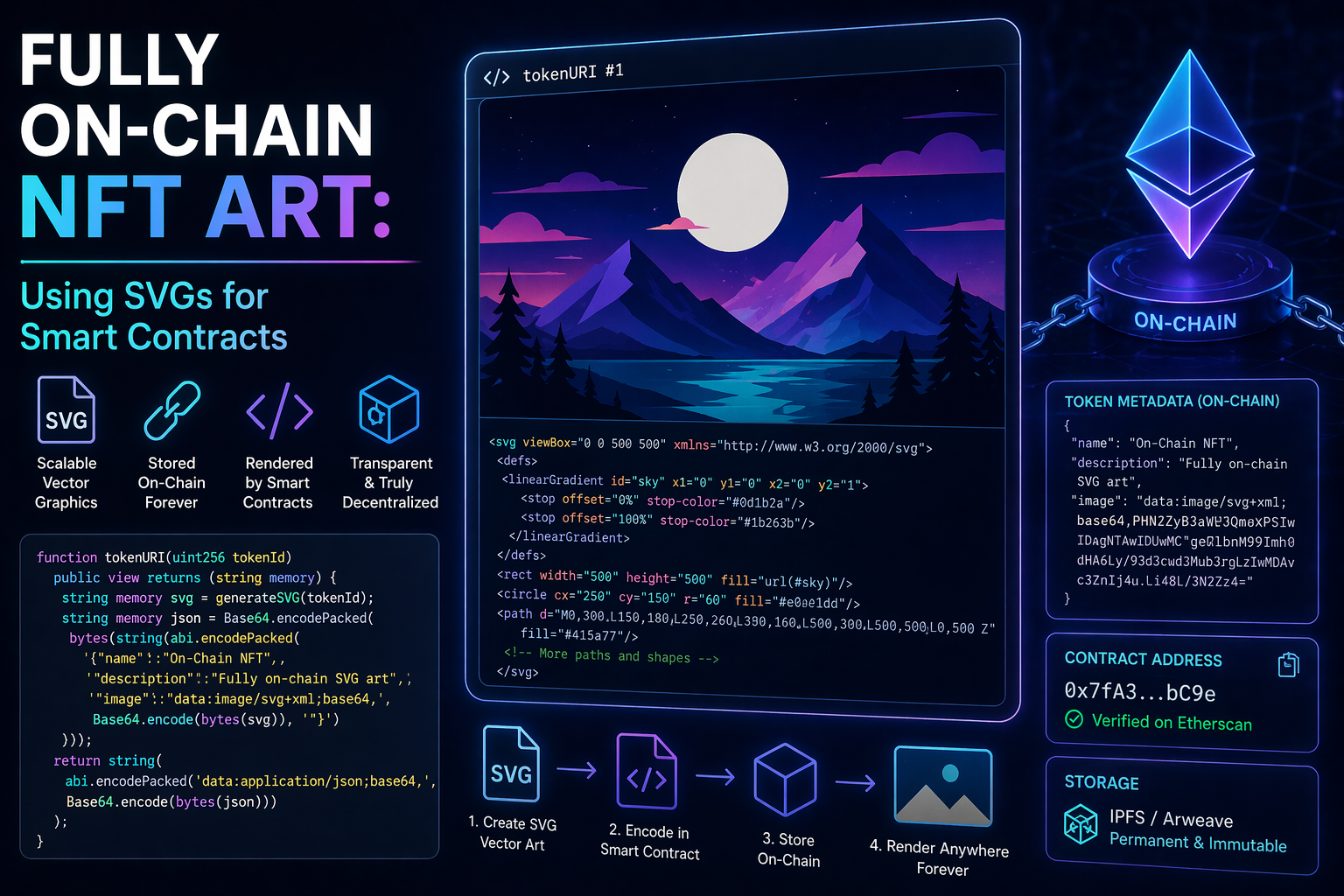
SVGs, or Scalable Vector Graphics, are especially important in this space because they are text-based images. Unlike large JPEG or PNG files, an SVG can describe shapes, lines, colors, gradients, and patterns using readable code. That makes SVGs easier to generate, compress, modify, and store in smart contract environments.
Creating SVG-based NFT art requires more than a drawing app. A complete workflow may include a high-performance computer, vector design software, code editors, development tools, decentralized storage, a crypto wallet, and sometimes a hardware wallet for securing valuable assets. Mobile devices can be useful for sketching, but a desktop or laptop computer is usually the stronger choice for building and deploying fully on-chain NFT projects.
Spotify
What Is Fully On-Chain NFT Art?
Fully on-chain NFT art refers to digital artwork where the visual output, metadata, or generation logic is stored directly in a smart contract or on decentralized infrastructure. In the strongest version of fully on-chain art, the NFT does not depend on a traditional web server, cloud folder, or marketplace-hosted image to exist.
This matters because many NFTs only point to external files. If those files disappear, move, or are no longer pinned or hosted, the NFT may still exist as a token, but the artwork may become inaccessible. Fully on-chain and decentralized storage approaches are designed to reduce that risk.
The goal is permanence, transparency, and independence. The collector should be able to verify what the NFT contains, and the artwork should remain accessible without depending on a single company or platform.
Why SVGs Matter for Smart Contract Art
SVG stands for Scalable Vector Graphics. It is a text-based image format that uses code to describe visual elements such as circles, rectangles, paths, gradients, lines, and text.
SVGs are useful for fully on-chain NFTs because they are compact compared with many raster images and can be generated programmatically. A smart contract can assemble SVG code based on traits, token IDs, randomness, or stored variables.
This makes SVGs especially useful for:
SVGs are not ideal for every art style. Highly detailed paintings, photography, and large cinematic visuals may still require external image or video storage. But for code-based, vector-based, and generative art, SVG is one of the most practical formats.
The Fully On-Chain NFT Creation Workflow
A fully on-chain SVG NFT workflow usually has several layers. First, the artwork is created as vector art or generated from code. Next, the SVG is optimized so it is compact enough to use efficiently. Then, the metadata and image data are encoded, added to a smart contract, stored on-chain, or linked through decentralized storage.
A typical workflow may look like this:
- 1. Create or sketch the artwork using vector software, a tablet, or a computer.
- 2. Export or write the SVG code so the artwork can be represented as text.
- 3. Optimize the SVG to reduce unnecessary code and lower storage or gas costs.
- 4. Build the smart contract using development tools such as a code editor, Node.js, and blockchain development frameworks.
- 5. Decide where the NFT data lives: fully on-chain, IPFS, Arweave, or a hybrid approach.
- 6. Deploy and mint using a software wallet and, for higher-value projects, a hardware wallet.
- 7. Display or manage the NFT using marketplaces, wallets, galleries, or NFT display frames.
The best setup depends on where you are in the workflow. A laptop or desktop is usually best for building the final smart contract and handling the development environment. A tablet can be useful for sketching or creating vector-style artwork. Decentralized storage platforms help keep NFT assets accessible over time, and a hardware wallet helps protect ownership and signing authority.
1. Apple MacBook Pro with M5 Chip

The Apple MacBook Pro with M5 chip is a strong all-in-one workstation for creators building SVG-based NFT projects. It can handle professional vector design, image editing, browser-based wallet workflows, code editors, Node.js tools, and smart contract development environments from one machine.
For fully on-chain NFT work, this kind of computer is especially useful because the workflow is both creative and technical. You may be editing SVG files, optimizing artwork, writing Solidity contracts, running scripts, testing metadata, and connecting to blockchain tools in the same project. The M5 chip also adds stronger AI and graphics performance than the previous generation, which can help with creative workflows, local AI tools, visual previews, and multitasking. Apple says the M5 MacBook Pro delivers up to 3.5x faster AI performance and up to 1.6x faster graphics performance compared with the M4 model. :contentReference[oaicite:1]{index=1}
Key Features
Why It Matters
✅ Pros
- Excellent balance of creative power and development capability.
- M5 chip improves AI and graphics workflows compared with the prior generation.
- Great display for detailed digital artwork and SVG review.
- Strong option for creators who need both design and coding tools.
- Portable enough for creators who work between home, studio, and travel setups.
❌ Cons
- Higher upfront cost than many Windows laptops.
- Some blockchain tools and tutorials may be written with Linux/Windows assumptions.
- Storage and memory upgrades can increase the price quickly.
- Creators doing heavier 3D rendering may still prefer M5 Pro or M5 Max configurations if available and budget allows.
2. Apple iPad Pro 13-inch with M5 Chip
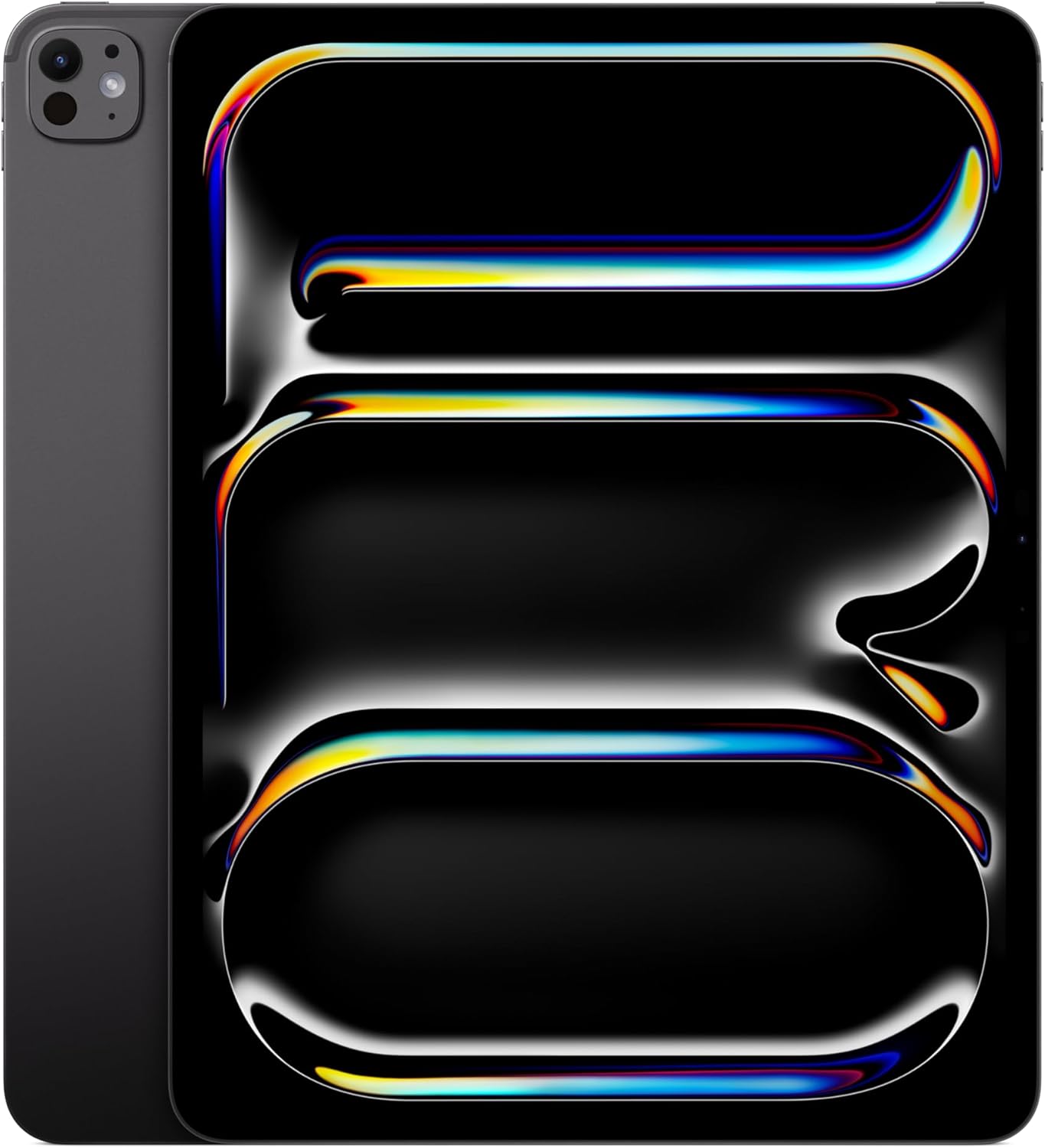
The Apple iPad Pro 13-inch with M5 chip is an excellent creative companion for artists who want a natural drawing experience in a highly portable format. Paired with a compatible stylus such as Apple Pencil Pro, it can be used to sketch shapes, draft vector-style artwork, test compositions, and develop visual ideas before exporting or recreating the final work as SVG.
For SVG-based NFT projects, the iPad Pro works especially well during the early creative stages. It is ideal for concept development, illustration, and clean digital sketching. While it is not the strongest single device for full smart contract deployment, it remains one of the best mobile tools for the visual side of NFT creation. For many creators, the best workflow is sketching on a tablet and completing SVG optimization, coding, and contract work on a full computer.
Key Features
Why It Matters
✅ Pros
- Excellent display for color, detail, and digital sketching.
- M5 chip provides strong performance for creative apps and multitasking.
- Very portable compared with a laptop or desktop setup.
- Great for artists who prefer pen-based creation.
- Strong companion device for NFT concept development.
❌ Cons
- Not ideal as the only device for smart contract development.
- Apple Pencil Pro and keyboard accessories may be sold separately.
- Some desktop-grade development tools are easier to use on a full computer.
- Higher price than many standard tablets, especially with accessories.
3. Wacom One 14 Drawing Tablet with Screen

The Wacom One 14 Drawing Tablet with Screen is a newer pen display designed for artists who want to draw directly on-screen while still using the power of a full Mac or PC. For SVG-based NFT creation, that combination is useful because the visual work can happen on the pen display while the computer handles vector software, code editors, wallet tools, and smart contract development.
This makes it a strong fit for creators who prefer hand-drawn linework, custom shapes, character concepts, collection traits, and visual refinement before final SVG cleanup. Unlike a standalone tablet, the Wacom One 14 is not meant to replace your computer. Instead, it expands your computer into a more natural drawing workspace.
Key Features
Why It Matters
✅ Pros
- Newer 14-inch Wacom One model with a larger working area than older 13-inch versions.
- Natural drawing experience connected to a full computer.
- Good bridge between visual art and technical NFT production.
- More affordable than many higher-end professional pen displays.
- Useful for clean linework, sketching, and vector-style forms.
❌ Cons
- Requires a connected Mac or PC.
- Not a complete standalone NFT creation system.
- Display resolution is Full HD rather than 2K or 4K.
- Optional stand or accessories may be needed for a more ergonomic setup.
4. The NFT Handbook: How to Create, Sell and Buy Non-Fungible Tokens

The NFT Handbook: How to Create, Sell and Buy Non-Fungible Tokens by Matt Fortnow and QuHarrison Terry is a practical NFT learning resource for creators who want to understand the broader NFT ecosystem before diving deeper into SVGs, smart contracts, wallets, marketplaces, and digital ownership.
For SVG NFT creators, this kind of beginner-friendly foundation matters because fully on-chain art does not exist in isolation. Artists still need to understand what NFTs are, how marketplaces work, how buying and selling happens, how wallets fit into the process, and why ownership, metadata, and digital scarcity matter. This book is a better fit for general NFT education than a highly technical smart contract manual.
Why It Matters
✅ Pros
- Strong beginner-friendly NFT overview.
- Written specifically around creating, selling, and buying NFTs.
- Helpful for artists who need business and marketplace context.
- More approachable than technical blockchain programming books.
❌ Cons
- Not focused specifically on SVG-based fully on-chain NFT development.
- Does not replace hands-on smart contract testing or security review.
- Creators building custom contracts may still need deeper technical blockchain resources.
5. Ledger Nano Gen5 Hardware Wallet

A hardware wallet does not store the NFT image itself. Instead, it protects the private keys that control the wallet holding the NFT or deploying the smart contract. For creators minting collections or collectors holding valuable NFTs, that makes a hardware wallet one of the most important security tools in the workflow.
The Ledger Nano Gen5 is a stronger current recommendation than the older Nano X for this article because it offers a newer touchscreen signing experience. That can make transaction review clearer when interacting with NFTs, smart contracts, and wallet approvals.
Why It Matters
✅ Pros
- Modern touchscreen signer experience.
- Useful for NFT ownership and transaction security.
- Good fit for creators who sign smart contract interactions.
- More current than older classic wallet devices.
❌ Cons
- Does not store the NFT artwork itself.
- Requires careful seed phrase backup and recovery planning.
- Must be purchased from trusted sources to avoid counterfeit risk.
- Can add friction for beginners new to hardware wallets.
6. Samsung The Frame 55-Inch 4K Smart TV
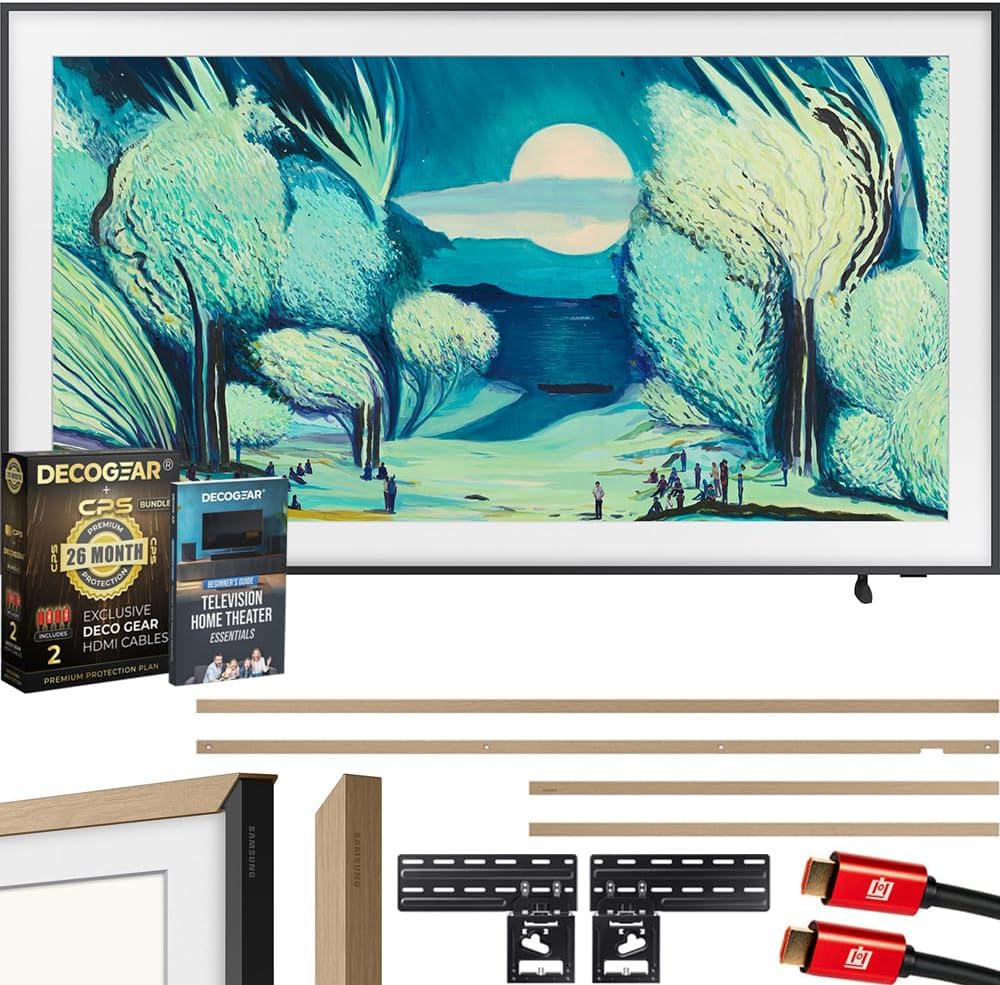
Samsung The Frame is a strong NFT display option because it is designed to look more like wall art than a standard television. For collectors, creators, studios, and small galleries, it can help bring digital artwork into a physical space.
For SVG-based NFTs, a high-resolution display is useful because vector art can scale cleanly. The Frame is especially appealing for people who want a display that works for both everyday media and art-style presentation.
Why It Matters
✅ Pros
- Strong visual presentation for digital art.
- More useful than a dedicated frame because it also works as a smart TV.
- Good fit for home offices, studios, and gallery-style setups.
- Clean design supports art-focused display environments.
❌ Cons
- Not a dedicated NFT wallet display by itself.
- May require a connected device, app, or casting workflow to show specific NFT assets.
- More expensive than a basic monitor.
- Display setup depends on how the NFT artwork is stored and accessed.
Developer Considerations
Fully on-chain SVG NFTs require careful planning because the artistic and technical decisions are connected. A design that looks simple visually may still generate a large SVG file. A contract that works in testing may be expensive to deploy if the metadata is too large or the SVG logic is inefficient.
- 1. Gas optimization: Keep SVG output compact and avoid unnecessary string complexity.
- 2. Metadata standards: Use common NFT metadata conventions so wallets and marketplaces can render the asset correctly.
- 3. Rendering consistency: Test SVGs across browsers, wallets, marketplaces, and display tools.
- 4. Storage strategy: Decide whether the art belongs directly on-chain, on IPFS, on Arweave, or in a hybrid model.
- 5. Wallet security: Use strong wallet hygiene, especially when deploying contracts or managing high-value NFTs.
- 6. Documentation: Explain to collectors how the art is stored and what makes it on-chain or decentralized.
Bottom Line
Fully on-chain NFT art is not just a design trend. It is a different way of thinking about digital permanence. When SVGs, smart contracts, and decentralized storage are used carefully, creators can build NFTs that are more transparent, verifiable, and resilient than ordinary image files hosted on centralized servers.
For creation, a high-performance Mac or PC is usually the best foundation because it can handle vector software, code editors, Node.js, smart contract tools, browser wallets, and deployment workflows. A tablet or pen display can still be valuable, but it works best as a sketching and design companion rather than the entire production environment.
For storage, the strongest approach depends on the project. Compact SVGs can live directly inside smart contracts for maximum permanence. Larger assets may be better served by decentralized storage such as IPFS or Arweave, with Arweave often positioned around long-term permanence and IPFS widely used for content-addressed NFT data.
For security, a hardware wallet is not where the artwork lives, but it can protect the private keys that control the NFT, the wallet, and the contract interactions. If choosing between Ledger Nano X and Ledger Nano Gen5 for a current NFT-focused article, Nano Gen5 is the stronger modern recommendation because of its touchscreen signer design, newer connectivity, and transaction review features.
The best workflow is not one tool. It is a stack: a strong computer for creation and development, vector software for SVG output, smart contract tools for deployment, decentralized storage for resilience, a secure wallet for ownership, and optional display hardware for presentation. Together, these pieces help turn NFT art into something more durable than a file on a marketplace page.
Available at Amazon.com
Interested in learning more about NFTs, Blockchain, and Smart Contracts?
Click Here!
*As an Amazon Associate I earn from qualifying purchases.*