Just Tech Me At

Best Smart Devices Under $100 Dollars
March 17, 2026
by Just Tech Me At
*As an Amazon Associate, I earn from qualifying purchases.*

.svg.png)




*As an Amazon Associate, I earn from qualifying purchases.*
Follow us on social media for
freebies and new article releases.
Table of Contents
- Introduction
- Smart Speakers & Displays
- Smart Plugs & Switches
- Smart Lighting
- Budget Smart Cameras & Doorbells
- Smart Locks & Entry
- Smart Thermostats
- Hubs, Sensors & Starter Kits
- Conclusion
- Related Articles
- Shop More Smart Devices*
- Visit Us On Pinterest
*As an Amazon Associate, I earn from qualifying purchases.*
Spotify
Introduction
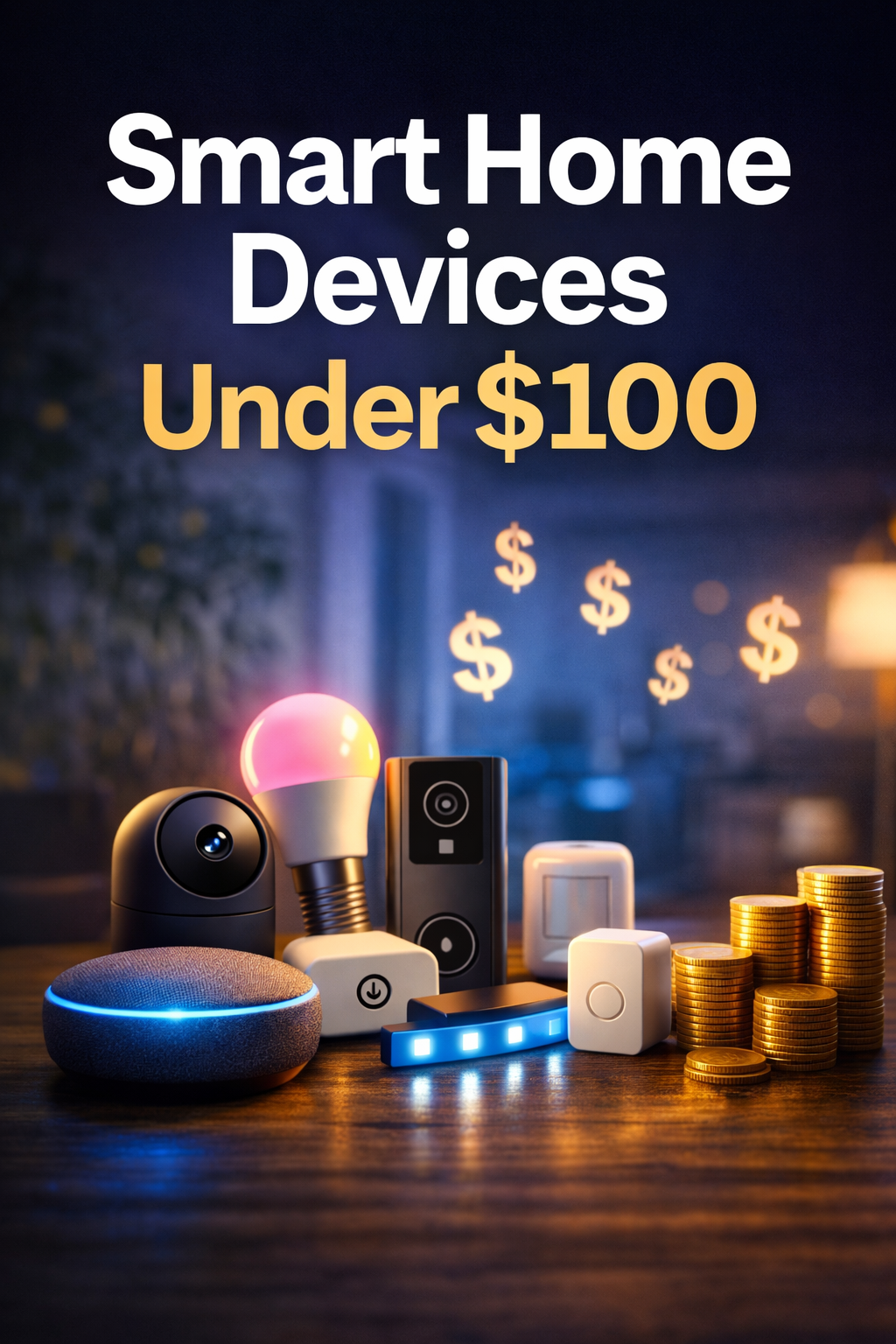
Smart home gear no longer has to mean premium pricing. Many of the most practical everyday devices now sit comfortably under the $100 mark, making it easier to start small and build a setup that actually improves daily life. Whether your goal is voice control, better lighting, simple home monitoring, or easier entry management, there are strong budget-friendly options across nearly every smart home category.
The best sub-$100 devices usually share a few things in common: easy setup, dependable app support, compatibility with major ecosystems, and enough real-world usefulness to justify the purchase. For beginners, that often means choosing products that do not need complicated wiring, extra hubs, or high monthly subscription costs just to feel useful.
This guide focuses on smart devices that offer practical value for the money. Some are ideal as first purchases, like speakers, smart plugs, or bulbs. Others, such as cameras, locks, and thermostats, can add convenience or peace of mind without pushing you into premium-price territory. If you are building your first smart home setup on a budget, these are the categories and products most worth your attention.
Browse More Budget Smart Devices
Smart Speakers & Displays
Amazon Echo Pop

Best compact starter speaker for Alexa homes - Affordable voice control for small rooms
Echo Pop is one of the easiest budget-friendly entry points into smart home control. It is compact, beginner-friendly, and well suited to bedrooms, offices, dorms, and apartments where you want Alexa routines, reminders, music, and control of compatible lights and plugs without paying for a larger speaker.
Key Features
Pros
- Budget-friendly way to start an Alexa-based smart home.
- Small footprint fits almost anywhere.
- Good everyday convenience for casual voice control.
Cons
- Sound is fine for casual listening, but not ideal for fuller room audio.
- Best experience depends heavily on Amazon'ls ecosystem.
More Info
Amazon Echo Dot

Best overall budget smart speaker for sound and features - A stronger all-around choice than the smallest models
Echo Dot is often the better value pick if you want improved sound and a little more flexibility than the Echo Pop. It works well as a bedroom, kitchen, or office speaker and fits nicely into a smart home starter setup centered on Alexa routines and voice control.
Key Features
Pros
- More balanced sound than the smallest Alexa speakers.
- Very broad smart home compatibility through Alexa.
- Frequently discounted, which improves overall value.
Cons
- Still cloud-centered like the rest of the Echo line.
- Not the best match for users avoiding Amazon services.
More Info
Google Nest Mini (2nd Gen)

Best budget pick for Google Assistant users - Compact control for Google-centered homes
If your home already leans toward Google services, Chromecast, or Google TV, the Nest Mini remains a practical low-cost voice assistant option. It is especially appealing for users who want a small speaker for commands, casual music, and hands-free control of compatible devices.
Key Features
Pros
- Good match for people already using Google services daily.
- Compact and unobtrusive design.
- Works well as a low-cost assistant speaker in secondary rooms.
Cons
- Amazon’s device ecosystem is broader in some smart home categories.
- Current Amazon listings may appear as reseller or bundle listings.
More Info
Amazon Echo Show 5
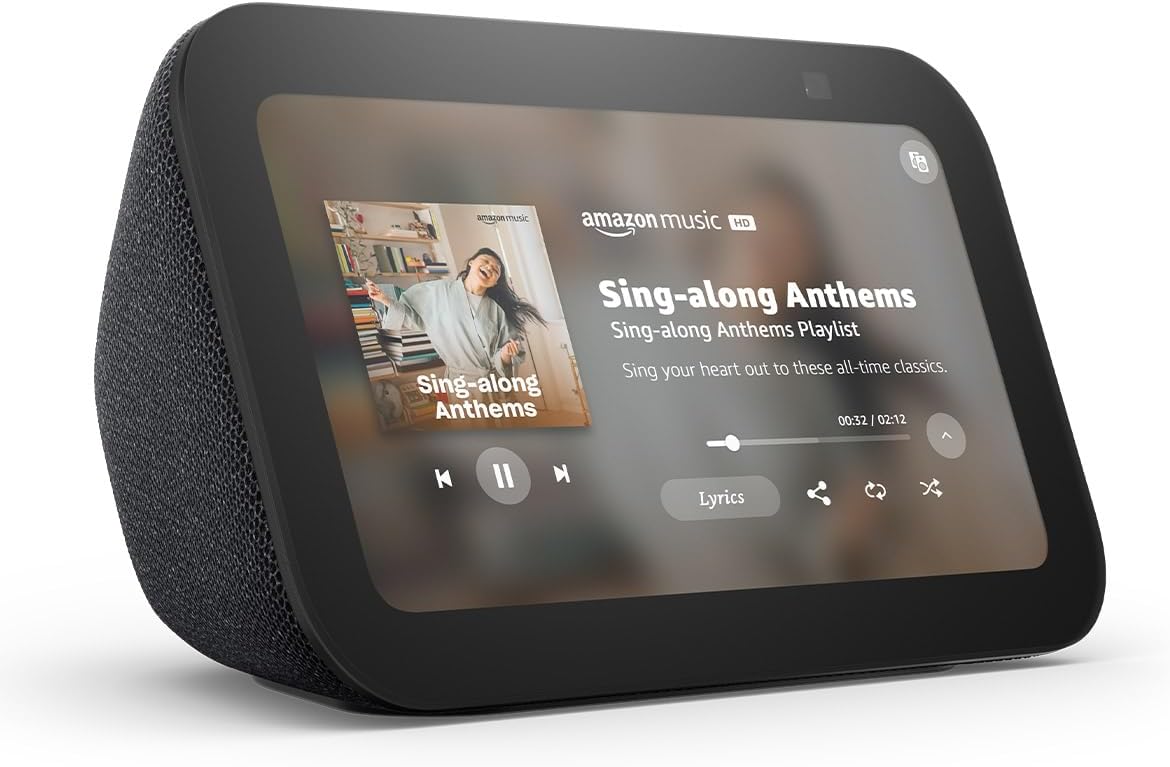
Best under-$100 smart display for bedside or kitchen use - Screen-based Alexa control without taking up much space
Echo Show 5 is a practical display for users who want more than voice alone. It is especially useful for timers, weather, calendar glances, camera feeds, and quick control of compatible smart devices in kitchens, bedrooms, or home offices.
Key Features
Pros
- Adds visual smart home control without a large display cost.
- Handy for camera feeds and quick information at a glance.
- Often discounted into strong budget territory.
Cons
- Less flexible than a tablet for media use.
- Best value comes when you already use Alexa-compatible devices.
More Info
Smart Plugs & Switches
TP-Link Kasa KP125M

Best budget Matter smart plug for cross-platform homes - Great for lamps, fans, and small appliance control
The KP125M is appealing because it helps budget shoppers get into Matter-compatible smart home control without much complexity. It is a solid choice for people who want one plug standard that plays more nicely across Alexa, Google, Apple Home, and other Matter-friendly setups.
Key Features
Pros
- Strong future-facing value thanks to Matter support.
- Easy beginner upgrade with practical daily use.
- Helpful for households using more than one ecosystem.
Cons
- Current Amazon listing commonly surfaces as a multi-pack.
- Like many plugs, best value comes when used in routines, not standalone.
More Info
TP-Link Tapo P125M

Best simple Matter plug for first-time buyers - Straightforward setup and broad compatibility
The Tapo P125M is one of the cleaner low-cost ways to add smart control to ordinary plug-in devices. It is easy to recommend to beginners because it handles the basics well and fits into a cross-platform smart home without demanding much setup time.
Key Features
Pros
- Beginner-friendly and practical.
- Good match for future-proofing smaller smart home purchases.
- Strong value in single or multi-room setups.
Cons
- Not exciting as a standalone purchase unless paired with routines.
- Limited to plug-in device control rather than deeper automation by itself.
More Info
Wyze Plug

Best low-cost plug for budget-focused shoppers - A practical choice for simple automations
Wyze Plug is a sensible option when price matters most and you want quick app-based control of lamps, fans, coffee machines, and similar devices. It is especially attractive for buyers already using other Wyze devices in the same app ecosystem.
Key Features
Pros
- Very affordable entry into smart plugs.
- Good fit for simple routines and remote on/off control.
- Useful for users already familiar with the Wyze app.
Cons
- Less platform-forward than Matter-based alternatives.
- Best value depends on whether you are already in the Wyze ecosystem.
More Info
Smart Lighting
Wyze Bulb Color

Best low-cost color bulb for budget rooms - Simple smart lighting without a hub
Wyze Bulb Color is a strong beginner bulb for people who want colorful scenes, tunable whites, and easy app control without spending much. It works well in bedrooms, offices, and accent-lighting setups where convenience matters more than premium ecosystem polish.
Key Features
Pros
- Strong value for color lighting at a lower price tier.
- Easy entry point for smart lighting beginners.
- Useful for simple room scenes and routines.
Cons
- Not as ecosystem-flexible as some Matter options.
- Best when paired with other Wyze products or simple app usage.
More Info
TP-Link Kasa Smart Bulb Color (KL125)

Best smart bulb for people who want a dependable app experience - A balanced everyday color bulb
Kasa’s KL125 is easy to recommend to people who want straightforward smart lighting without much fuss. It covers the essentials well: brightness, colors, tunable white, app scheduling, and voice control through major assistant platforms.
Key Features
Pros
- Strong all-around value for everyday smart lighting.
- Good app reputation and easy control experience.
- A practical pick for building one-app automation around Kasa products.
Cons
- Premium lighting ecosystems still feel more polished at the high end.
- Less compelling if you only need one bulb and no routines.
More Info
Govee RGBIC LED Strip Lights

Best value light strip for accent lighting and entertainment spaces - Strong visual impact without premium pricing
Govee’s RGBIC light strips stand out because they make decorative smart lighting affordable. They are especially useful behind desks, TVs, shelves, and entertainment setups where you want richer color effects and a more playful atmosphere without paying premium-brand prices.
Key Features
Pros
- Excellent value for decorative smart lighting.
- More visually interesting than basic single-color strips.
- Great for fun spaces and entertainment areas.
Cons
- More style-focused than practical task lighting.
- Model-to-model features can vary, so double-check before publishing product links.
More Info
Budget Smart Cameras & Doorbells
Wyze Video Doorbell v2

Best value wired video doorbell under $100 - Strong porch coverage for the price
Wyze Video Doorbell v2 is appealing because it offers a lot of everyday usefulness without forcing you into premium doorbell pricing. It is a strong choice for homeowners who want basic front-door visibility, app alerts, and two-way communication at a lower cost.
Key Features
Pros
- Strong budget value for a recognizable smart home brand.
- A practical alternative to more expensive mainstream doorbells.
- Good fit for basic daily front-door use.
Cons
- Subscription upsells are common in this category overall.
- Check wiring and chime compatibility before recommending it broadly.
More Info
Blink Video Doorbell

Best low-cost doorbell for Alexa-centered homes - Easy to recommend to Amazon smart home users
Blink Video Doorbell makes the most sense for people who already lean into Alexa and want a relatively affordable front-door camera option. It is approachable, compact, and especially easy to fit into an Amazon-led smart home setup with Echo displays or other Blink devices.
Key Features
Pros
- Strong fit for Alexa households.
- Usually easier on the budget than some premium competitors.
- Compact and approachable for first-time buyers.
Cons
- Best experience may depend on additional Blink hardware or subscription decisions.
- Less appealing if your home is built around Apple Home or Google first.
More Info
Wyze Cam v4

Best overall budget indoor camera - Affordable everyday monitoring for home, pets, or nursery use
Wyze Cam v4 is one of the easiest camera recommendations for shoppers who want useful monitoring without stepping up to premium hardware. It works well for general indoor coverage, pet watching, baby monitoring, or checking a room when you are away.
Key Features
Pros
- Very strong value-per-dollar camera category pick.
- Easy to recommend as a first camera purchase.
- Good match for casual home monitoring needs.
Cons
- Subscription decisions still matter for advanced camera features.
- Users seeking premium privacy or local-only setups may want to compare alternatives.
More Info
Wyze Cam Pan v3

Best low-cost pan-and-tilt camera - Wider room coverage without buying multiple fixed cameras
Wyze Cam Pan v3 is a smart choice when one fixed-angle camera is not enough. It is particularly useful for larger rooms, open living areas, pet monitoring, or anywhere you want broader visual coverage from a single budget-friendly camera.
Key Features
Pros
- Covers more area than a standard fixed-lens budget camera.
- Good value for multi-purpose indoor monitoring.
- Helpful when you want one camera to watch a larger space.
Cons
- Still part of a subscription-heavy product category overall.
- Not everyone needs motion coverage if a fixed cam already works for the room.
More Info
Blink Mini 2

Best simple indoor camera for Alexa users - Small, easy, and approachable for first-time camera buyers
Blink Mini 2 is a good fit for shoppers who want a small camera with minimal setup friction. It works well in apartments, bedrooms, offices, or entry areas where you want basic live monitoring and motion awareness without spending much.
Key Features
Pros
- Small footprint and easy setup.
- Strong beginner fit for Amazon-centered homes.
- Good option for adding a camera without a large spend.
Cons
- Current Amazon result commonly surfaces as a multi-camera listing.
- Category tradeoffs around subscriptions and storage still apply.
More Info
Smart Locks & Entry
Wyze Lock Bolt

Best affordable smart lock for local convenience - Great for keypad and fingerprint access without relying on full-time cloud control
Wyze Lock Bolt stands out because it gives you quick entry convenience without necessarily pushing you into the more expensive always-online lock tier. It is especially attractive for users who mainly want keypad or fingerprint convenience and do not need full remote unlocking from anywhere.
Key Features
Pros
- Practical value in a category that gets expensive quickly.
- Fingerprint access is a strong everyday convenience feature.
- Good choice for buyers who do not need advanced remote features first.
Cons
- Less appealing if remote access is your main priority.
- Smart lock fit and door compatibility should always be checked carefully.
More Info
SwitchBot Lock Pro

Best retrofit smart lock when on sale - Add smart locking without replacing your deadbolt
SwitchBot Lock Pro is appealing because retrofit locks let you add smart access while keeping your existing deadbolt and keys. That makes it especially attractive for renters, cautious homeowners, or anyone who wants to avoid a full lock replacement project.
Key Features
Pros
- Easier entry into smart locks for many existing doors.
- Lower-friction install concept than full deadbolt replacement.
- Attractive when discounted into the sub-$100 range.
Cons
- Some advanced integrations may require extra hub hardware.
- Always verify compatibility before publishing purchase recommendations.
More Info
Smart Thermostats
Amazon Smart Thermostat

Best reputable smart thermostat under $100 - One of the simplest budget thermostat upgrades for Alexa users
Amazon Smart Thermostat is one of the few thermostat picks that regularly makes sense for true budget-focused shoppers. It works especially well for users already living in the Alexa ecosystem who want a cleaner path into schedule-based HVAC control without jumping to pricier premium models.
Key Features
Pros
- One of the strongest value thermostat options in the category.
- Familiar ecosystem fit for Alexa households.
- Good choice for buyers who want practical control more than premium extras.
Cons
- Wiring compatibility matters and can affect total cost.
- Less ecosystem-neutral than some broader smart home alternatives.
More Info
Hubs, Sensors & Starter Kits
Aqara Hub M3

Best automation-focused hub for people ready to go beyond basic Wi-Fi gadgets - Great foundation for sensors and smarter routines
Aqara Hub M3 makes the most sense for users who want to move from simple app control into richer home automation. It is especially attractive when paired with door sensors, motion sensors, or other Aqara devices to create reliable automations that feel more like a system than a collection of gadgets.
Key Features
Pros
- Strong value for more advanced automation-minded buyers.
- Useful foundation for a sensor-rich smart home.
- Helps move beyond simple voice-control-only setups.
Cons
- Less beginner-simple than a speaker, plug, or bulb.
- Best value depends on committing to additional compatible sensors.
More Info
Ring Alarm 5-Piece Kit

Best starter security kit when discounted - A polished entry point into smart home security
Ring Alarm 5-Piece Kit can be an excellent budget-security buy when it falls into sale territory. It gives shoppers a more system-like experience than buying one random sensor at a time and is especially appealing to users already invested in Ring or Alexa products.
Key Features
Pros
- Feels more complete than piecemeal sensor buying.
- Strong ecosystem fit for Ring and Alexa homes.
- A practical security starter when found at sale pricing.
Cons
- Often depends on discounts to land in true under-$100 territory.
- Ongoing subscription decisions can shape long-term value.
More Info
Final Thoughts
Smart home shopping under $100 is no longer just about compromise. In many categories, the lower-cost options now handle the core tasks most people actually care about: voice control, simple automations, room lighting, entry monitoring, and everyday convenience. That makes budget smart devices a realistic starting point rather than a temporary placeholder.
For most beginners, the smartest approach is to build around one or two practical categories first. A speaker or display can anchor voice control. Smart plugs and bulbs can deliver the quickest day-to-day payoff. A camera or doorbell can add useful visibility, and a thermostat or lock can come later once you know how much you actually use your setup.
The biggest value comes from picking devices that fit your ecosystem and your habits, not just the cheapest products on the page. Focus on compatibility, setup simplicity, and whether the device solves a real everyday problem. Done that way, a smart home under $100 per device can still feel polished, useful, and easy to grow over time.
Related Articles








Browse Amazon
Shop Now!
*As an Amazon Associate I earn from qualifying purchases.*
More Smart Devices*As an Amazon Associate I earn from qualifying purchases.*
