Just Tech Me At
Best Smart Plugs for Google Home and Alexa 2026
by Just Tech Me At
August 21, 2026
*As an Amazon Associate, I earn from qualifying purchases.*



.svg.png)


Introduction
Why Smart Plugs Still Cause More Frustration Than Convenience
Smart plugs should make everyday devices smarter—but many homeowners still deal with slow response times, unreliable automations, and compatibility issues between Google Home and Alexa. Whether you're trying to schedule lamps, control appliances remotely, or monitor energy usage, choosing the wrong smart plug can lead to constant resets and inconsistent performance.
The 2026 generation of smart plugs finally addresses these pain points with faster connectivity, improved energy tracking, and seamless voice control across major ecosystems. This guide breaks down the best options, their standout features, and the pros and cons that matter most—so you can automate your home without the headaches.
1. Kasa Smart Plug Mini 15A, EP25P2

The TP-Link Kasa EP25 is a compact Wi-Fi smart plug that supports Matter over Wi-Fi, allowing it to work with Alexa, Google Home, Apple Home, and more without vendor lock-in. Kasa’s app is mature and reliable, and this plug is small enough that two can fit side-by-side in a standard outlet.
Key Features
✅ Pros
❌ Cons
2. Amazon Basics Smart Plug, Works with Alexa Only

The Amazon Smart Plug is Amazon’s first-party option designed to work seamlessly with Alexa. Setup is nearly automatic via the Alexa app, making this ideal for people who primarily use Echo devices and don’t need advanced features like energy monitoring or Matter.
Key Features
✅ Pros
❌ Cons
3. Tapo Matter Compatible Smart Plug P125M

The Tapo P125M is TP-Link’s ultra-compact Matter smart plug, ideal for tight spaces and multi-platform households. Supporting Matter over Wi-Fi, it integrates with Alexa, Google Home, Apple Home, and Samsung SmartThings while offering a low entry price.
Key Features
✅ Pros
❌ Cons
4. meross Smart Plug 15A, Works with Apple HomeKit
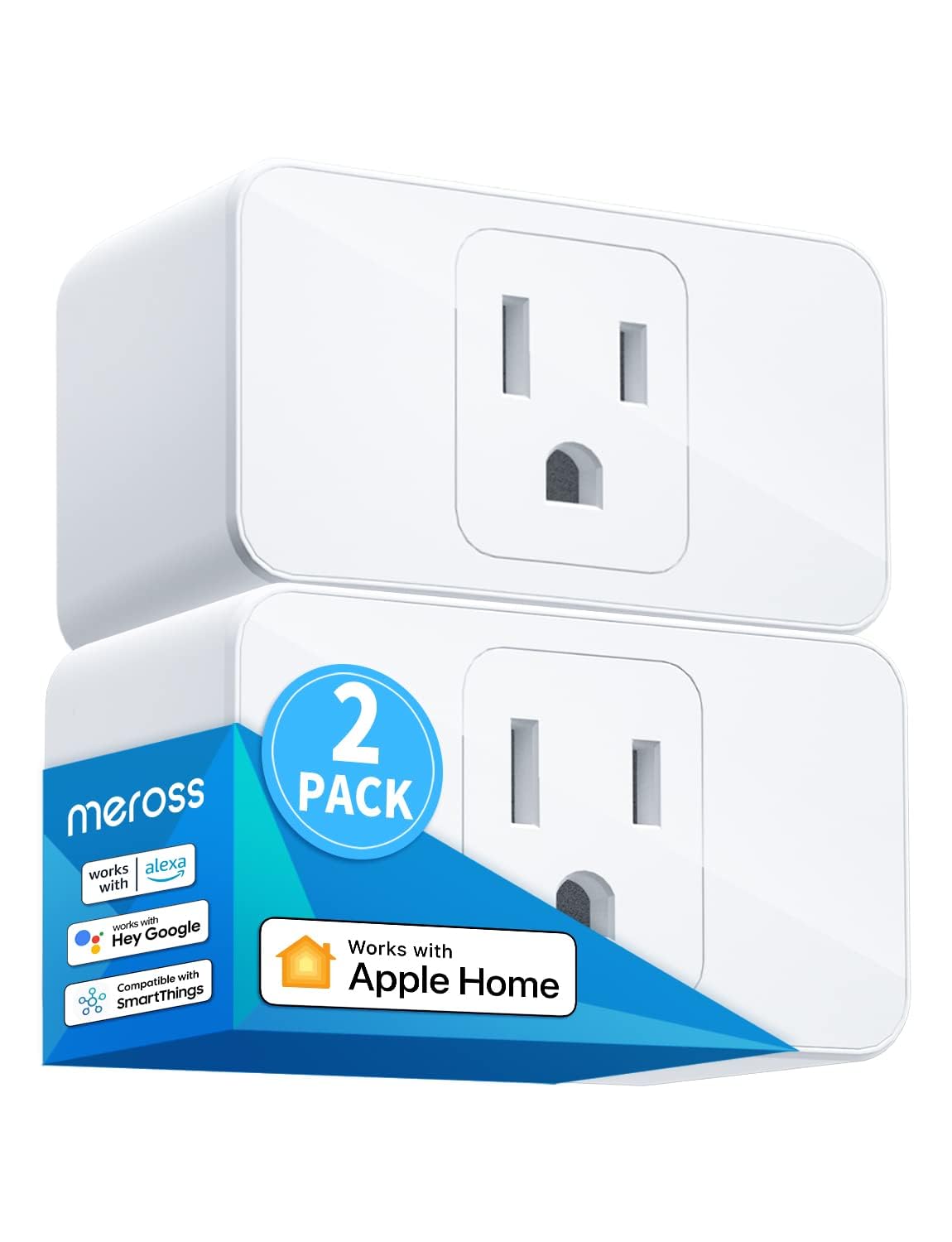
Meross smart plugs are known for strong value, often sold in multi-packs at a lower per-plug cost. The MSS110 series supports both Alexa and Google Home, offers scheduled automation, and connects directly to Wi-Fi with no hub required.
Key Features
✅ Pros
❌ Cons
5. Wyze Smart Plug 2.4GHz Wi-Fi Outlet

Wyze Plug integrates tightly with Wyze cameras, sensors, and other budget-friendly gear. It supports Alexa and Google Home, plus Wyze’s rules engine, allowing simple automation such as turning on a lamp when a camera detects motion.
Key Features
✅ Pros
❌ Cons
6. Govee Smart Plug, WiFi Outlet Compatible with Alexa and Google Assistant

Govee is known for colorful LED lighting, and its smart plugs extend that ecosystem to non-smart lamps and appliances. With Alexa and Google Home support plus solid scheduling and scene options in the Govee app, these plugs are especially attractive if you already own Govee lights.
Key Features
✅ Pros
❌ Cons
7. GE Cync Smart Plug, WiFi Smart Outlet, Matter, Alexa & Google
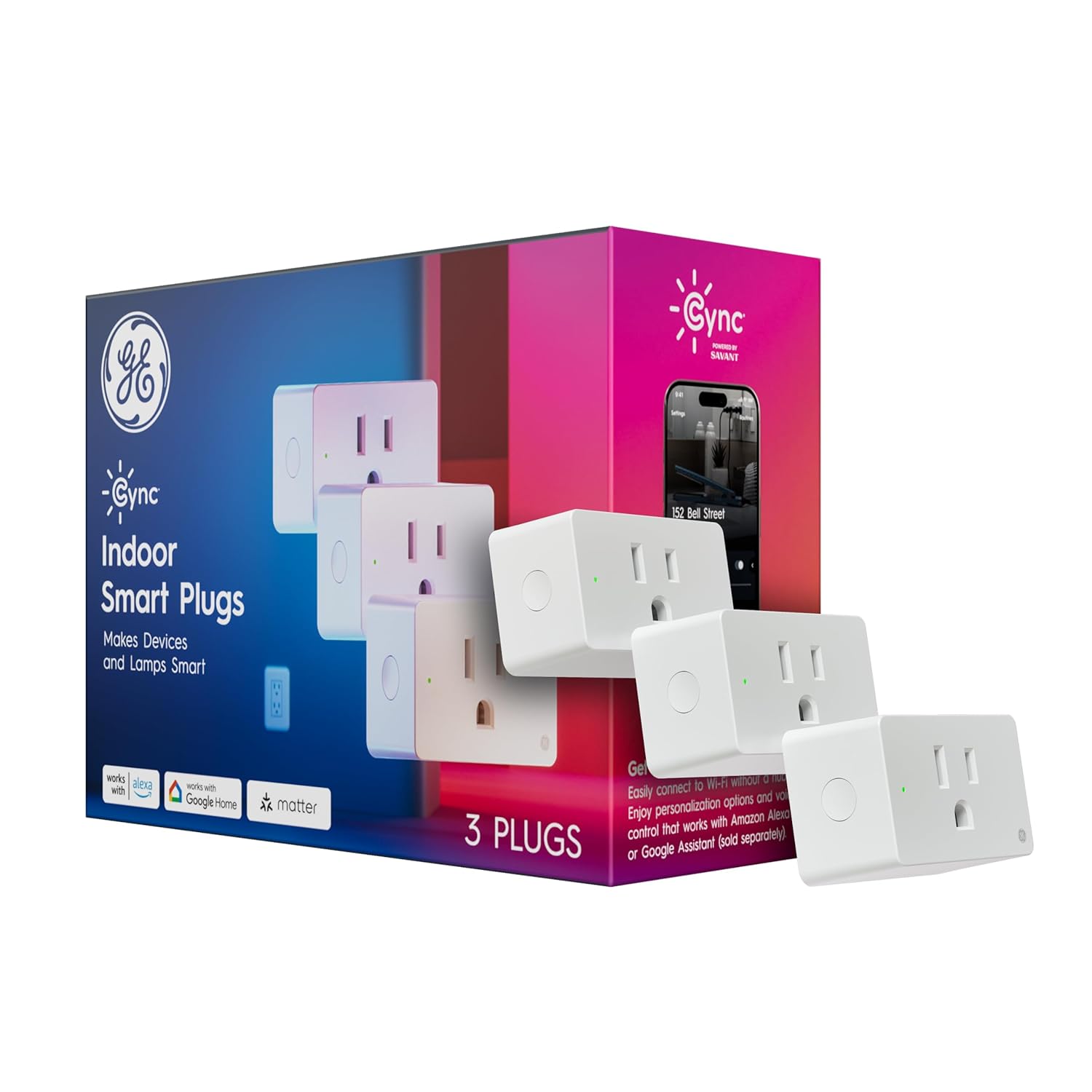
The GE CYNC Indoor Smart Plug brings app and voice control to existing lamps and small appliances while integrating into GE’s broader smart lighting range. It supports both Alexa and Google Home and uses the CYNC app for scheduling and scenes.
Key Features
✅ Pros
❌ Cons
8. Eve Energy (Matter) Smart Plug & Power Meter

Eve Energy started as an Apple HomeKit-centric device but now supports Matter, opening it up to Alexa, Google Home, and more. It includes detailed energy monitoring and emphasizes local processing and privacy, making it ideal for users who want deep insights into power use and minimal data sharing.
Key Features
✅ Pros
❌ Cons
9. Sengled Smart Outled Switches

Sengled’s Wi-Fi smart plug extends the brand’s lighting focus into small appliances. It works with Alexa and Google Home, and is an easy addition if you already use Sengled bulbs or cameras and prefer to keep everything in a single app.
Key Features
✅ Pros
❌ Cons
How to Choose the Right Smart Plug for Your Home
1. Check Ecosystem Compatibility
Make sure the smart plug works reliably with Google Home, Alexa, or both. Cross‑platform compatibility ensures smoother routines and fewer setup issues.
2. Look for Fast, Stable Connectivity
Wi‑Fi plugs are common, but Matter and Thread options offer faster response times and more reliable automations. If you want instant voice control, prioritize Matter‑enabled devices.
3. Evaluate Energy Monitoring Features
Some smart plugs provide detailed energy usage reports, helping you identify power‑hungry appliances and reduce monthly costs. Choose this feature if efficiency is a priority.
4. Consider the Device Load
Not all smart plugs support high‑wattage appliances. Check the maximum load rating to ensure safe and reliable operation for items like heaters, fans, or kitchen devices.
5. Review Automation Capabilities
Look for scheduling, timers, sunrise/sunset triggers, and integration with routines. These features turn basic outlets into powerful automation tools.
6. Think About Form Factor
Some plugs are bulky and block adjacent outlets. Slim or compact designs are ideal for tight spaces or multi‑plug setups.
Product Disclaimer
Electronic devices, computers, and smart home products should be installed, configured, and used according to the manufacturer’s instructions. Features, compatibility, software updates, and app functions may change over time. Always review the latest product details on the retailer’s page before purchasing, and follow all safety guidelines provided by the manufacturer.
Bottom Line
Final Thoughts: Smart Plugs That Actually Simplify Your Life
The best smart plugs for Google Home and Alexa in 2026 are designed to eliminate the frustrations that once made home automation feel unreliable. With stronger connectivity, smarter scheduling, and more accurate energy monitoring, today’s devices finally deliver on the promise of effortless control.
By choosing a smart plug that aligns with your ecosystem, automation goals, and device requirements, you’ll create a smoother, more responsive smart home experience. The right plug transforms everyday appliances into powerful, voice‑controlled tools that work exactly when you need them.
Related Articles






Browse Amazon
Shop Now!
*As an Amazon Associate I earn from qualifying purchases.*
More Smart Devices*As an Amazon Associate I earn from qualifying purchases.*
